| Status: | Active, open to new members |
| Convenor: | |
| Group email: | iPad group |
| When: | Weekly on Monday mornings 10:00 am-11:30 am Courses consist of 6 weekly blocks |
| Venue: | Digital Greenhouse |
This group has helped over 250 u3a members learn how to use their iPads. The focus of the group is two fold:
Complete Beginners who are unfamiliar with this type of computing device, and
Intermediate Users who want to go beyond the basics and to build up their confidence in the use of technology
For Complete Beginners, the tutorials will cover the basics, such as:
- Operating an iPad and using it safely
- Setting up and using an email account
- Using the internet
- Taking and managing photos
- Setting up and using contact lists (name & address book)
- Saving and retrieving files, letters, forms, etc
- Exploring suitable apps (software applications/programmes) to use on an iPad
For Intermediate Users, the tutorials cover the setting up or use of:
- Multiple email accounts
- iCloud storage & syncing Apple devices
- Personalising the iPad screen
- Photo sharing, including making collages
- Air Drop, Calendar, Clock, Translation, Maps & Notes functions
- Taking screenshots
- Drawing functions and using the Apple Pencil
- Music, podcasts and video/tv streaming
- eBooks, audiobooks & magazines online
- Apple Pay, PayPal etc and shopping safely online
- Connecting to & using Bluetooth devices
- Writing texts, PDFs and air printing
- Setting up a basic spreadsheet
Whenever possible the group will look at other topics that members request. Where people have individual issues, there may be an opportunity for one-to-one help. The overall aim is to try to empower members with iPads to develop their confidence enabling them to solve problems by using suitable self-help books and to access further learning material on the internet, such as finding suitable video tutorials and support websites.
The sessions are be held on a member demand basis, as when there are enough members to justify running another course. The courses are held at the Digital Greenhouse in Market Street (entrance door between Specsavers and Iceland) on either Monday or Friday mornings in six weekly blocks for groups of approximately eight members at a time. Each weekly session lasts one & half hours. Wherever possible the group’s members will be matched with other members with similar learning needs.
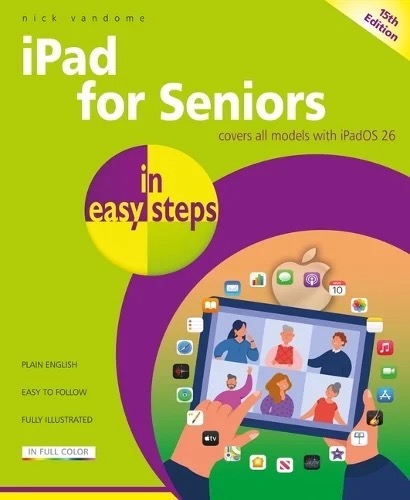
We use the 15th Edition of the iPad for Seniors book by Nick Vandome, which can be obtained from all good bookshops.
For further information, please contact the convenor, Ian Daish,
*or email him at u3aguernsey.ipadinfo@gmail.com (Click on the Group email)
- or alternatively for complete beginners who have not yet got an email address, you can phone him on 07781 430085